
A teacher leaves a school district, but their account remains active in three learning applications. Meanwhile, a student transfers classrooms, yet an old app still displays their previous roster. These small administrative oversights can become serious student privacy risks.
Understanding how to manage student data access across multiple school apps starts with one principle: every user should access only the information required for their educational role.
For US schools, that means connecting identity management, automated rostering, permission controls, and privacy compliance into a coordinated system. The objective isn’t simply easier logins. It’s ensuring student information stays accurate, accessible, and protected.
Build One Identity System Instead of Managing Separate Logins
Centralize Authentication With Single Sign-On
Single sign-on (SSO) allows students and staff to authenticate through a centralized identity service rather than maintaining unrelated passwords for individual applications. Popular education-focused options include Clever and ClassLink.
Clever supports centralized application access and automated rostering, while ClassLink LaunchPad provides an application portal with supported identity and password-management options.
Districts using Google Workspace or Microsoft Entra ID can also integrate compatible applications through federated authentication.
Centralization offers three practical benefits: fewer password-related support requests, more consistent security policies, and faster account deactivation.
However, SSO doesn’t automatically control what information an application displays. That requires separate authorization rules.
Strengthen Authentication for Sensitive Accounts
Administrative accounts deserve stronger protection because they often provide access to extensive student information. The Cybersecurity and Infrastructure Security Agency recommends multifactor authentication, particularly for privileged users and high-risk systems.
Its K–12 cybersecurity recommendations also identify centralized identity management as a useful approach for schools managing multiple applications.
Schools should prioritize phishing-resistant authentication for administrators while offering age-appropriate login methods for younger students.
Keep Student Records Consistent Through Automated Rostering
Make the Student Information System the Primary Record
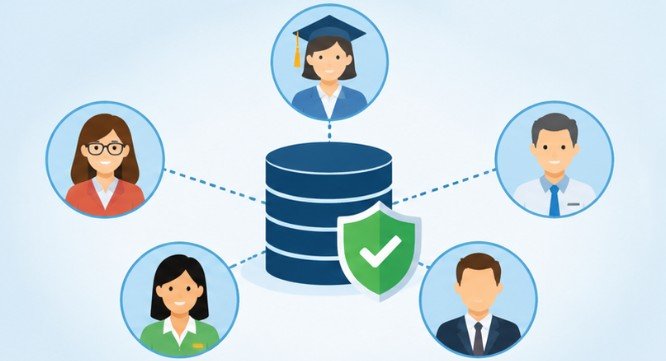
A Student Information System (SIS) should generally serve as the authoritative source for enrollment, school assignments, and class membership.
When a registrar updates a student’s enrollment, connected applications should receive the appropriate changes without repeated manual entry.
Tools such as Microsoft School Data Sync can distribute supported school and roster information into Microsoft education services. Other districts rely on Clever, ClassLink, or integration middleware to coordinate data distribution.
The most important decision is establishing which system owns each field. Otherwise, conflicting updates can overwrite accurate information.
Choose Standardized Data Exchanges
The 1EdTech OneRoster standard supports exchanging roster information among compatible education systems through CSV files and REST-based APIs. This reduces reliance on custom integrations that become difficult to maintain.
For example, a student moving from fifth-grade mathematics to another section should have their application enrollment updated through the approved synchronization process.
Administrators should monitor synchronization failures, how to integrate Google Classroom with SIS, duplicate identifiers, missing records, and unexpected permission changes.
Important: Not every integration synchronizes immediately. Districts must verify refresh schedules and define procedures for urgent account removal.
Apply Permissions Based on Educational Responsibilities

Role-based access control determines which information students, teachers, counselors, administrators, and technical employees can view or modify.
A mathematics teacher may require grades and assignments for assigned classes. A counselor may need additional information to support specific students.
Neither necessarily requires unrestricted access to every district record. Schools should combine role-based permissions with classroom, school, and individual-student restrictions.
This is commonly called the principle of least privilege.
A practical access review should answer three questions:
- Does this person still need the account?
- Does their role justify the assigned permissions?
- Can they access records outside their responsibilities?
Permissions should change automatically wherever possible when staff transfer positions, students move schools, or employment ends.
Review EdTech Vendors Before Sharing Student Information
Convenient applications aren’t necessarily privacy-conscious applications. Districts need a consistent approval process before connecting new tools to student records.
Evaluate Data Collection and Security Practices
Request documentation explaining what information the application collects, why it needs that information, and whether it shares data with outside organizations.
Examine encryption, storage locations, subcontractors, retention periods, deletion procedures, incident notification requirements, and administrative access controls.
Also confirm whether the vendor permits schools to export or delete information when contracts end.
The CoSN Student Data Privacy Toolkit provides resources covering student privacy, service-provider relationships, and transparency. Districts can use these resources to strengthen procurement reviews and maintain an approved application catalog.
Understand FERPA and COPPA Requirements
FERPA governs privacy protections for education records at covered educational institutions. Under certain conditions, schools may disclose records to service providers performing institutional functions without individual consent. Those providers must satisfy applicable requirements, including school control over data use and restrictions on redisclosure.
COPPA addresses online collection of personal information from children under 13.
The Federal Trade Commission’s COPPA guidance explains that schools may authorize certain educational data collection on parents’ behalf, but not unrelated commercial exploitation.
School administrators must also evaluate applicable state student privacy laws, which may impose additional contractual and security obligations.
Common Mistakes That Undermine Student Privacy
One widespread mistake is assuming SSO guarantees complete security. It simplifies authentication but cannot prevent excessive application permissions or inappropriate data collection.
Another is relying exclusively on nightly synchronization. Delayed updates may leave access active after urgent enrollment or employment changes.
Schools also sometimes approve applications without documenting their data-sharing arrangements.
Finally, removing a user from the central identity provider does not always erase information already stored by vendors.
Effective governance requires verifying application-specific deletion procedures, retained records, and contract obligations.
Frequently Asked Questions
1. What is the best way to control student access across school apps?
Use centralized authentication, automated SIS rostering, role-based permissions, and regular access reviews. Combine these controls with vendor privacy assessments and clear account-deactivation procedures.
2. Does single sign-on protect student information automatically?
No. SSO centralizes authentication, but schools still need authorization controls, encryption, vendor oversight, and secure data-sharing policies.
3. How often should schools audit application permissions?
Review high-risk access regularly and perform broader audits at least each semester. Immediately reassess permissions after staff departures, student transfers, or suspected security incidents.
4. Can schools share student information with third-party applications?
Yes, when the disclosure meets applicable legal requirements. Under FERPA, qualifying service providers must satisfy specific conditions, including restrictions on using and redisclosing education records.
Make Every Permission Accountable
Managing student information across multiple applications isn’t just a technical responsibility. It’s an ongoing commitment to protecting the trust families place in schools.
The strongest districts treat access as something that must be continuously verified, not permanently granted.
Centralized identities, reliable rostering, limited permissions, and thoughtful vendor reviews create a foundation for safer digital learning.
Start by identifying one unnecessary permission, inactive account, or unapproved integration. Resolve it, document the improvement, and repeat the process systematically.
Ultimately, the safest school technology environment isn’t the one with the fewest applications. It’s the one where every application receives only the access it genuinely needs.