
An API connection can fail even when nothing appears wrong with your application. A payment may process twice, customer records may stop syncing, or an automated workflow may freeze because of one expired token or an unexpected server response.
Understanding how to fix API integration errors begins with identifying the failed request, reading its HTTP status code, and determining whether the problem originates in your application, network, or API provider.
The solution is rarely to retry everything. Successful troubleshooting requires understanding what failed, why it happened, and whether repeating the request could make matters worse.
Start With the Failed Request, Not the Application
The fastest way to diagnose most integration failures is to investigate the original HTTP transaction.
Reproduce the Error Outside Your Software
Use an API testing tool such as Postman or Insomnia to recreate the failing request independently.
Examine the endpoint URL, HTTP method, authorization header, query parameters, and request body.
Compare these details against the provider’s official documentation. A request using POST instead of PATCH, for example, might produce a completely different response even when the submitted data is valid. Also confirm whether the request targets a sandbox environment or a production endpoint.
Examine the Response Before Changing Code
Look beyond the HTTP status code.
An API response may contain a detailed explanation identifying the invalid field, missing permission, or exceeded request quota.
Capture the timestamp, request ID, response headers, and sanitized response body.
Use the provider’s status dashboard to determine whether other customers are experiencing similar failures.
Avoid recording API secrets, access tokens, or sensitive customer information in troubleshooting logs.
Understanding HTTP Status Codes and Their Fixes
HTTP status codes provide an initial explanation of where an integration failed.
The official HTTP Semantics specification distinguishes client-related errors from server-related failures, although identifying the responsible system may require additional investigation.
400, 401, and 403: Requests and Credentials

A 400 Bad Request commonly indicates malformed request syntax, invalid parameters, or improperly structured data. Check JSON formatting, required headers, and parameter names.
A 401 Unauthorized response usually indicates missing or invalid authentication credentials.
Verify the API key, OAuth token, and authorization format. If the token has expired, refresh it using the provider’s supported authentication process.
A 403 Forbidden response means access was refused. The credentials may be valid, but the account might lack sufficient permissions.
Check OAuth scopes, user roles, subscription restrictions, and endpoint access policies.
404 and 422: Missing Resources or Invalid Data
A 404 Not Found response can occur when an endpoint URL is incorrect, an API version has changed, or a resource no longer exists.
Confirm the endpoint path, resource identifier, and API version.
A 422 Unprocessable Content response generally means the request syntax is acceptable, but the server cannot process its instructions.
For instance, submitting an incorrectly formatted shipping ZIP code or a duplicate customer identifier might trigger validation failure.
Read field-level errors and correct the affected values before resubmitting.
429: Too Many Requests
A 429 Too Many Requests response indicates that the application has exceeded a rate limit.
This frequently affects integrations that synchronize thousands of records or repeatedly request unchanged information.
According to RFC 6585, servers may include a Retry-After header indicating when another request can be attempted. Introduce request queues, caching, and controlled concurrency to reduce unnecessary traffic.
500, 502, 503, and 504: Server Problems
These errors generally indicate failures in server processing or communication between services. A 500 signals an internal server error, while 502 indicates an invalid upstream response.
A 503 often reflects temporary unavailability, and 504 indicates that a gateway did not receive a timely upstream response.
Check the provider’s service status, inspect network logs, and retry only when doing so is safe.
Importantly, a timeout does not prove that the original operation failed.
A Practical Five-Step API Recovery Process

A structured troubleshooting routine can reduce investigation time and prevent unnecessary changes.
Step 1: Isolate the Failure
Identify the exact request that failed.
Determine whether the problem affects every API call, a particular endpoint, or only certain customer records.
If failures affect one record type, investigate its payload before changing shared authentication settings.
Step 2: Verify Configuration and Authentication
Check API credentials, environment variables, endpoint versions, and required permissions.
For OAuth integrations, inspect token expiration and refresh behavior.
Refresh tokens shortly before expiration when the provider supports that approach, while accounting for clock differences between systems.
Step 3: Validate the Request Data
Compare the outgoing payload against the provider’s API schema.
Check required fields, accepted data types, date formats, character limits, and content types.
Automated schema validation helps catch mistakes before requests reach external services.
Step 4: Apply a Controlled Fix
Correct invalid requests immediately, but treat temporary server failures differently.
For retryable failures, use exponential backoff with random jitter.
An initial retry schedule might use delays of approximately one, two, and four seconds, with randomness added to prevent synchronized traffic spikes.
Keep retry attempts limited, commonly to three to five, depending on provider guidance and operational requirements.
Step 5: Confirm Business Data Integrity
After the request succeeds, verify that the intended business operation actually occurred.
A successful response does not automatically guarantee that downstream systems updated correctly.
For example, a payment integration should confirm the transaction identifier and payment status before marking an order complete.
Similarly, firms integrating client communication workflows should understand how to connect law firm CRM to email, ensuring contact details, email correspondence, and communication records remain consistent across connected applications.
Preventing Repeat Failures Through Better API Design
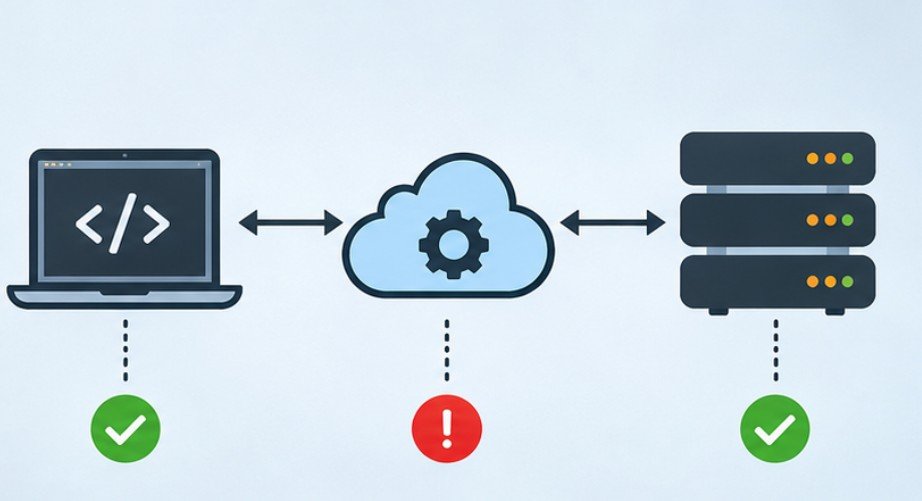
Long-term reliability depends on designing integrations that anticipate interruptions rather than assuming every request will succeed.
Before deploying these safeguards, businesses should follow a legal software integration testing checklist to validate data synchronization, authentication controls, error recovery, and workflow reliability across connected legal applications.
Make Retries Safe With Idempotency
A failed response can create uncertainty about whether an operation completed. Imagine a billing application submitting a $150 invoice payment. The payment succeeds, but the connection times out before confirmation arrives.
Blindly repeating the request could produce another charge. An idempotency key helps participating APIs recognize repeated attempts as the same logical operation.
The Internet Engineering Task Force’s idempotency-key draft describes this approach for improving the reliability of operations such as POST and PATCH.
However, idempotency headers are effective only when the API provider supports and correctly implements them.
Strengthen Security and Monitoring
The OWASP API Security Top 10 identifies broken authentication and improper API inventory management among important security risks.
Maintain an inventory of active endpoints, remove obsolete credentials, and restrict permissions to necessary operations.
For law firms managing connected legal applications, following how to secure law firm software integrations can help strengthen API access controls, protect confidential client information, and reduce risks associated with third-party connections.
Monitor error rates, response latency, authentication failures, and unusual request volumes. Establish alerts for persistent failures rather than relying on customers to report synchronization problems.
For American organizations handling financial or healthcare information, troubleshooting must also respect applicable privacy and security requirements.
Frequently Asked Questions
1. What is the quickest way to fix an API integration error?
Inspect the HTTP status code and response body, reproduce the request using an API client, and verify authentication, endpoint configuration, and payload formatting.
2. Why does an API return 401 even with a valid key?
The key may be expired, associated with the wrong environment, incorrectly formatted, or rejected because the authentication method does not match provider requirements.
3. Can API errors resolve automatically?
Temporary rate-limit, network, and server errors may recover through controlled retries. Invalid data, insufficient permissions, and incorrect credentials generally require corrective action.
4. How can businesses reduce recurring API failures?
Implement schema validation, proactive credential management, request monitoring, rate-limit controls, and safe retry mechanisms. Regularly review integration dependencies and provider documentation.
The Real Fix Is Knowing What Not to Retry
The most expensive API failures are not always the ones that produce obvious error messages. Sometimes a request completes successfully while its acknowledgment disappears, leaving an application uncertain about what happened.
That uncertainty can create duplicate transactions, inconsistent customer records, and broken automation.
Reliable integrations distinguish permanent errors from temporary failures, verify completed operations, and protect sensitive information throughout troubleshooting.
Instead of responding to every failure with another request, establish a repeatable process for diagnosis, recovery, and prevention.
A dependable integration is not one that never encounters errors. It is one that handles them without compromising the business.