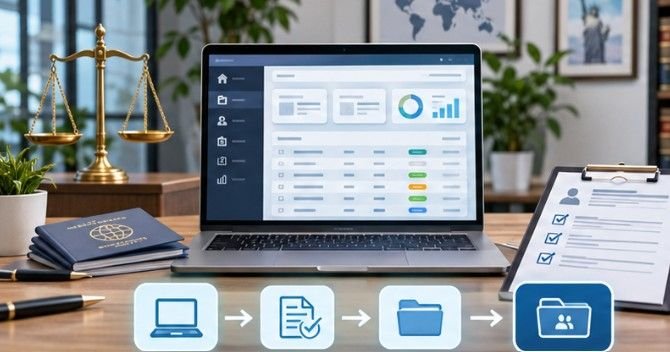
An immigration law firm can lose hours every week transferring the same client information between intake forms, case management systems, billing software, and communication platforms. The problem is not a shortage of technology. It is that these systems often operate independently.
Docketwise API integration workflows connect those disconnected processes, allowing information to move between applications with less manual intervention. With RESTful API access, OAuth 2.0 authentication, and integrations with popular legal software, Docketwise provides immigration practices with several ways to automate repetitive administrative work.
The real advantage comes from knowing which tasks to automate, how to connect systems securely, and where human oversight remains essential.
Five Docketwise Integration Workflows Worth Automating
Not every administrative process requires custom development. Many useful connections are available through native integrations or automation platforms.
1. Convert Qualified Leads Into Active Matters
Client intake frequently involves duplicate data entry between marketing software and immigration case management tools.
Docketwise integrates with Lawmatics to transfer signed leads, contact details, notes, and documents into new matters.
A typical process begins when a prospective client signs an engagement agreement. The integration transfers available information, helping staff begin case preparation without rebuilding the intake record.
Human review remains important for identifying duplicates, verifying personal information, and confirming the appropriate matter type.
2. Synchronize Case Records Across Practice Management Systems
Firms handling immigration alongside family law, employment matters, or litigation may use multiple practice management applications.
Docketwise lists integrations with Clio and MyCase, offering opportunities to connect specialized immigration work with broader legal operations.
For custom synchronization, developers should establish clear ownership of each data field.
For example, the general practice management system might own billing contact information, while Docketwise remains authoritative for immigration-specific matter details.
Without these boundaries, bidirectional updates can overwrite valid information or create conflicting records.
3. Automate Client Communication and Case Updates
Immigration clients frequently request updates about document requirements, appointment scheduling, and application progress.
Case Status and other supported communication tools can help firms provide consistent notifications.
Inside Docketwise, matter-status automation can also send predefined messages and assign tasks.
A practical example involves moving an employment-based immigration matter into a document-collection stage. The system can distribute a checklist and notify the client without requiring staff to draft another routine email.
However, automated messages should never imply that a government agency has approved an application unless the status has been verified.
4. Connect Document Translation and Compliance Processes
Immigration matters frequently involve birth certificates, academic transcripts, employment records, and other documents requiring translation.
Docketwise lists integrations with ImmiTranslate and MotaWord for document translation workflows.
LaborLess also supports Labor Condition Application compliance activities relevant to certain employment-based visa categories.
These connections can reduce administrative handoffs, although attorneys must still verify document accuracy and regulatory requirements.
The Department of Justice’s immigration court guidance highlights the importance of confidentiality in sensitive immigration proceedings.
Firms should therefore evaluate which information outside vendors genuinely need before transferring client documents.
5. Connect Payments With Accounting Records
Payment processing and bookkeeping often become separate administrative tasks. Docketwise lists LawPay and QuickBooks among its integration options.
Depending on supported functionality and configuration, firms can use these connections to reduce duplicate financial entry and improve reconciliation.
For practices managing recurring legal fees, combining accounting automation with automated retainer replenishment reminders can also improve payment follow-up.
Financial records should still undergo regular reconciliation, particularly when handling client trust funds or disputed transactions.
Setting Up a Custom Docketwise API Connection
A reliable integration begins with a defined business objective rather than immediately writing code.
Step 1: Request Developer Access
Start with the official Docketwise developer portal.
Firms can contact their Customer Success Manager or Docketwise support to request access. The API documentation also directs developers to email dev@docketwise.com with the subject “API integration” and their OAuth redirect URIs.
Step 2: Implement OAuth Authentication
Docketwise uses an OAuth authorization-code process.
The authorization endpoint is:
https://app.docketwise.com/oauth/authorize
After authorization, the application exchanges the code for access credentials through:
https://app.docketwise.com/oauth/token
The resulting access token is included in API requests using the Bearer authorization header.
Developers should also implement token refresh handling before the 180-day expiration period creates service interruptions.
The National Institute of Standards and Technology’s API security guidance emphasizes secure authentication, authorization, and protection of sensitive API communications.
Step 3: Design the Data Mapping
Identify which information moves between systems.
For example, an intake integration might map client names, email addresses, contact identifiers, and matter references.
Confirm supported API endpoints and permissions before implementation. Do not assume every field visible inside Docketwise is available through the API.
Step 4: Test Requests and Failure Recovery
Test the integration using synthetic client records wherever practical.
Verify successful requests, duplicate prevention, missing fields, expired credentials, and temporary service failures.
Docketwise returns HTTP 429 responses when requests exceed its rate limit. Applications should respect the documented retry information rather than repeatedly resending requests.
Internal Matter Automation Versus External API Integration

Docketwise offers two distinct approaches to workflow automation. Internal Matter Workflows handle actions inside the platform. Through Settings > Matter Workflows, firms can define matter types, create statuses, assign task lists, and send templated messages when specified stages are reached.
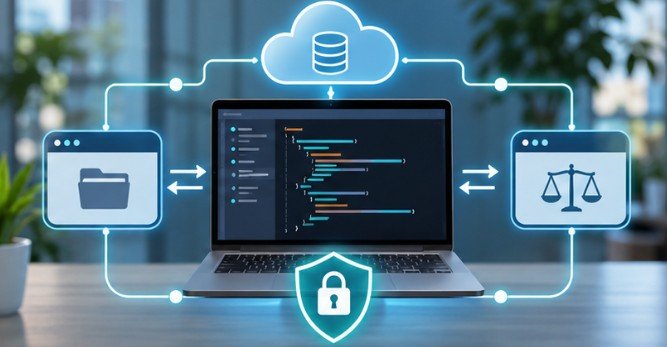
External API integrations connect Docketwise with other applications, allowing authorized data exchange across software systems. For external status notifications, developers can explore how to use webhooks in legal software or scheduled API polling.
Webhook availability, event coverage, and permissions should be confirmed for the specific integration before promising real-time synchronization.
A useful rule is to start with internal automation when the entire process occurs inside Docketwise. Introduce external integrations only when another system needs to participate.
Security Controls That Legal Integrations Cannot Ignore
Immigration records can contain passports, financial details, family information, and sensitive personal histories. Automation increases the number of systems potentially accessing that information.
The American Bar Association’s guidance on protecting client confidences reinforces attorneys’ responsibility to safeguard client information, including information handled by technology providers.
Meanwhile, the Federal Trade Commission’s business security recommendations emphasize understanding data movement and restricting access.
Before deployment, firms should:
- Restrict API permissions and protect credentials.
- Encrypt sensitive information during transmission and storage.
- Maintain audit logs and monitor synchronization failures.
- Review third-party vendors and their data retention practices.
- Require human approval for sensitive legal decisions.
These protections help prevent an efficiency improvement from becoming a confidentiality risk.
How to Measure Whether Automation Actually Saves Time

Integration success should be measured through operational results, not the number of connected applications. Consider a hypothetical firm creating 80 matters monthly. If automated intake saves eight minutes per matter, that represents approximately 10.7 administrative hours saved each month.
The calculation is straightforward:
80 matters × 8 minutes = 640 minutes saved.
However, teams should subtract the time spent reviewing errors, maintaining integrations, and resolving synchronization problems.
Track duplicate records, failed transactions, staff corrections, and client response times for at least one complete workflow cycle.
A smaller integration that eliminates frequent mistakes may deliver more value than an elaborate system requiring constant maintenance.
Frequently Asked Questions
1. Does Docketwise offer API access?
Yes. Docketwise provides a RESTful JSON API. Developers must request access and implement the documented OAuth 2.0 authorization process.
2. Can Docketwise integrate with Zapier?
Yes. Docketwise lists Zapier among its integrations. Available triggers, actions, and supported fields should be verified before building automations.
3. Are Docketwise API integration workflows secure?
They can be implemented securely using OAuth authentication, appropriate access controls, encrypted communication, vendor reviews, and ongoing monitoring.
4. Can Docketwise automatically update matter statuses?
Docketwise supports internal status-based automations. External status synchronization depends on the specific API capabilities and connected application’s functionality.
The Real Value of Connected Immigration Workflows
The strongest integrations do more than transfer information. They eliminate unnecessary steps while preserving the accuracy and confidentiality that legal work demands.
For an immigration practice, the best starting point is usually a repetitive process with clear rules, such as transferring approved intake information or distributing standard document checklists.
I would prioritize one workflow, measure its results, and confirm that staff can recognize and correct errors before expanding automation across the practice.
A well-designed connection should make case management easier to trust, not harder to understand. The goal is fewer administrative interruptions and more attention available for meaningful legal work.