A student transfers schools on Monday, but their learning platform still shows last week’s classes on Wednesday. Meanwhile, teachers cannot access updated rosters, and IT administrators are correcting records manually.
These problems reveal why understanding how to automate student data synchronization matters for American schools and colleges.
By connecting student information systems (SIS) with learning platforms, identity services, and administrative applications, institutions can update student records automatically. The real challenge is ensuring information moves accurately, securely, and quickly enough to support everyday school operations.
Why Student Data Synchronization Needs More Than Scheduled Exports
Student information rarely stays inside one application. A district might use PowerSchool or Infinite Campus for enrollment, Canvas for coursework, Microsoft 365 for collaboration, and separate platforms for transportation, assessments, and library services.
Each system depends on information that may change throughout the school day. When administrators update a student’s enrollment, connected systems should receive the appropriate changes without requiring someone to repeat the work.
The CoSN Interoperability Toolkit highlights the challenges created by disconnected educational applications and provides guidance for improving interoperability.
Automated synchronization addresses these difficulties through consistent data exchange, validation, and monitoring.
However, automation alone cannot repair inaccurate records. Schools must establish which system owns each data element before information begins moving between applications.
Four Reliable Ways to Connect Student Information Systems
Different integration methods serve different institutional needs. Choosing the correct approach depends on application compatibility, record volume, technical resources, and required update frequency.
1. Education Middleware for Multiple Applications
Integration middleware connects the SIS with several downstream applications through a centralized workflow.
Platforms such as Level Data and specialized education integration services can manage student records, transform data formats, and automate account provisioning.
For example, when a new student enters a district’s SIS, middleware can initiate account creation, assign the appropriate school, and deliver enrollment information to approved applications.
Rules can also determine usernames, account status, and access permissions.
This approach is particularly useful for larger K–12 districts managing numerous applications because administrators can maintain integration rules centrally rather than developing separate connections for every service.
2. OneRoster and Centralized Rostering Services
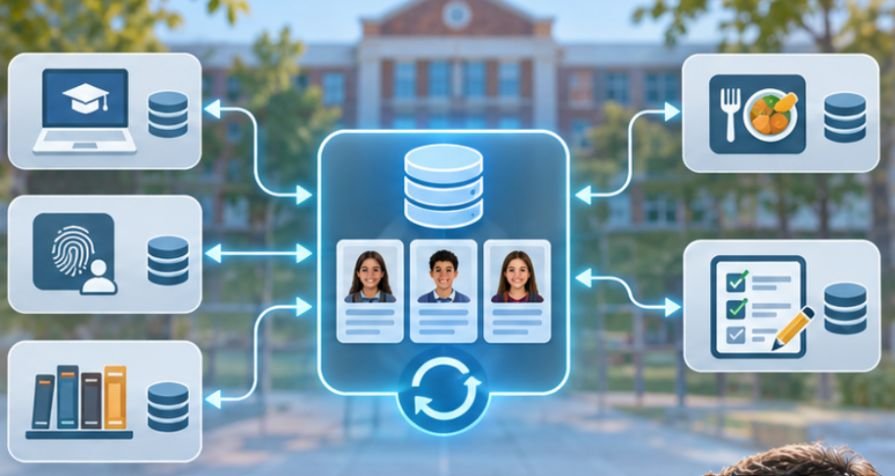
Schools primarily concerned with classroom enrollment can use Clever or applications supporting the OneRoster standard.
The 1EdTech OneRoster specification defines standardized exchanges for students, teachers, courses, enrollments, and gradebook information.
It supports CSV-based transfers and REST APIs, allowing compatible systems to exchange records through agreed formats.
Instead of manually preparing different roster files for every educational application, schools can establish a central rostering connection and authorize supported services to receive relevant information.
One important distinction is that OneRoster defines interoperability requirements; it does not guarantee that every vendor supports identical features or immediate updates.
3. Native Microsoft and Google Integrations
Institutions already using Microsoft 365 Education can evaluate Microsoft School Data Sync.
SDS connects supported SIS data sources with Microsoft’s education environment, helping administrators manage users, class memberships, and related educational data.
Depending on supported configurations, data can enter through OneRoster APIs or structured file imports.
Power Automate and supported connectors may also assist with scheduled workflows, although administrators should verify current connector capabilities before implementation.
Google Workspace for Education similarly supports automated user management through compatible identity tools, vendor integrations, and administrative APIs.
Native integration is often convenient when most required services belong to one ecosystem.
4. Custom Scripts and Secure File Transfers
Not every educational application supports modern integration standards. Legacy assessment systems, specialized university platforms, and certain vendor applications may still require scheduled data files.
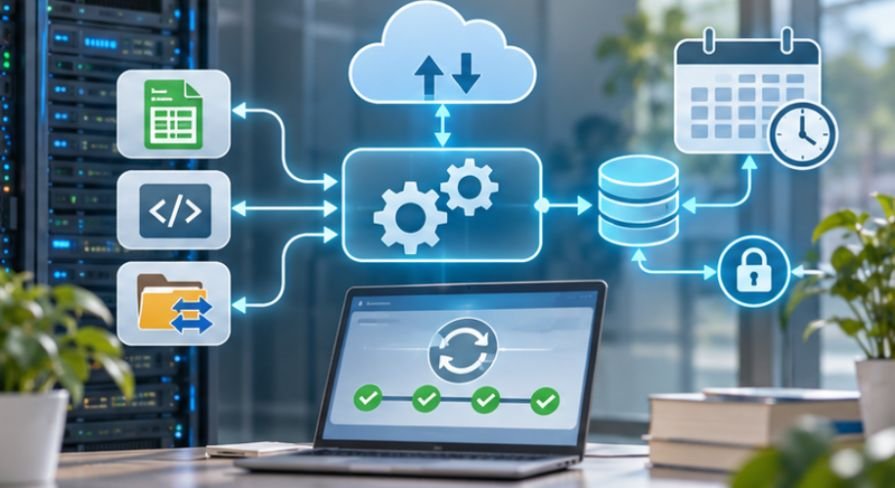
In these situations, administrators can create automated workflows using Python, PowerShell, scheduled jobs, or managed integration services.
The workflow extracts approved SIS records, validates required fields, transforms them into the destination schema, and transfers them through an authenticated API or encrypted SFTP connection.
Cloud storage services such as Amazon S3 can also support controlled file exchange when both systems support that architecture.
Custom integrations offer flexibility but create additional maintenance responsibilities, particularly when APIs or vendor file requirements change.
How to Automate Student Data Synchronization Step by Step
A successful implementation begins with data governance rather than software installation.
Step 1: Identify the Authoritative Data Source
Determine which system owns each category of information.
The SIS might control enrollment, school assignments, and official student identifiers, while an LMS maintains assignment submissions and classroom activity.
Avoid treating every application as an equal source of truth. Otherwise, synchronization may overwrite newer information with outdated records.
Step 2: Standardize Fields and Identifiers
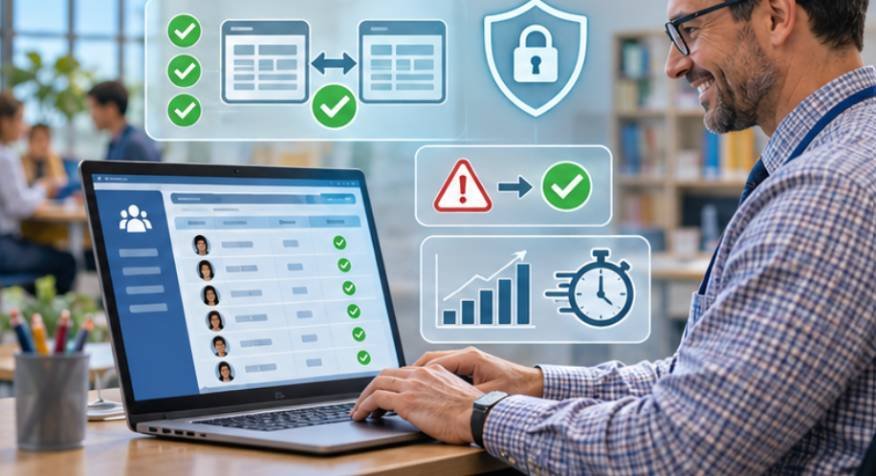
Create a mapping document for student IDs, course codes, enrollment statuses, academic terms, and school identifiers.
The Ed-Fi Data Standard provides a common structure for exchanging educational information across systems.
Stable identifiers are especially important because names and email addresses can change.
For example, two students sharing the same name must never be merged simply because their personal details look similar.
Step 3: Establish Secure Connections
Choose an integration method supported by both systems.
Configure service accounts, authentication credentials, API permissions, and encrypted transfers according to vendor requirements.
Apply least-privilege access so each application receives only the information necessary for its approved purpose.
Step 4: Set Appropriate Synchronization Frequency
Not every record requires immediate synchronization.
Class enrollment and account access may need frequent updates, while certain administrative reports can run overnight.
Consider a district with 12,000 students. If 2% of records change during a period, that represents 240 student records requiring evaluation.
An incremental synchronization process can focus on those changes rather than unnecessarily reprocessing the entire student population.
This calculation illustrates workload reduction, not a guaranteed performance improvement.
Step 5: Test Before Districtwide Deployment
Start with a controlled group of students, teachers, and courses.
Test new admissions, schedule changes, transfers, duplicate identifiers, withdrawn students, and the start of a new academic year.
Compare source and destination records after each synchronization.
For a pilot containing 500 expected enrollments, 495 correctly synchronized records produce a 99% match rate. The remaining five require investigation before expansion.
Step 6: Monitor and Recover From Failures
Configure dashboards or alerts for missing records, rejected updates, authentication failures, and interrupted transfers.
Schools should also establish a consistent process for monitoring school data integration failures so administrators can identify recurring errors, investigate interrupted transfers, and resolve synchronization issues before they affect connected applications.
Maintain retry rules and protected error logs.
Schools managing multiple technology platforms can also streamline issue resolution by automating school IT help desk ticket routing, ensuring integration failures and technical requests reach the appropriate support teams.
A reliable process should also detect unusually large deletion requests and require approval before executing destructive changes.
Protecting Student Privacy During Automated Transfers
Student data synchronization introduces privacy responsibilities that cannot be solved through encryption alone.
Under the Family Educational Rights and Privacy Act (FERPA), institutions must establish an appropriate legal basis for disclosing protected education records.
The U.S. Department of Education’s student privacy guidance explains the conditions governing educational data sharing, including disclosures involving service providers.
Schools should review vendor agreements, access permissions, retention schedules, and permitted data uses.
When student information is distributed across multiple educational platforms, administrators also need clear policies for controlling who can view, modify, and share those records; explore how to manage student data access across multiple school apps.
Sensitive information, including certain disability-related or disciplinary records, should not automatically flow into every connected application.
The principle is straightforward: synchronize what the receiving system needs, not everything the institution stores.
Common Synchronization Problems and Their Solutions
Even correctly configured systems encounter operational problems.
Duplicate student profiles: Check whether matching rules use persistent SIS identifiers rather than names or email addresses.
Missing course enrollments: Examine academic-term mappings, section identifiers, and enrollment-effective dates.
Failed API requests: Review authentication expiration, permission changes, rate limits, and vendor service availability.
Outdated records: Verify job execution times, destination processing delays, and whether changes are included in incremental exports.
Unexpected account removals: Pause destructive operations, examine withdrawal rules, and determine whether a temporary source-data issue triggered the changes.
The Common Education Data Standards data governance resources also emphasize maintaining consistent definitions, inventories, and data quality practices.
A useful operational measure is synchronization latency: the time between a change in the authoritative system and its successful appearance in a destination application.
Tracking that delay alongside error rates reveals whether automation actually meets institutional needs.
Frequently Asked Questions
1. What is the best method for automating student data synchronization?
It depends on existing systems. OneRoster works well for supported classroom applications, middleware connects multiple services, and APIs provide flexibility for specialized integrations.
2. How often should student records synchronize?
Critical enrollment and account changes may need frequent updates. Less urgent reporting data can synchronize nightly, depending on institutional requirements and system capabilities.
3. Can schools automate synchronization without coding?
Yes. Supported SIS connectors, rostering services, and education integration platforms can automate many workflows without custom programming.
4. Is automated student data synchronization FERPA compliant?
It can be, provided the institution has an appropriate legal basis, implements required safeguards, and limits disclosures to authorized recipients and purposes.
Building a More Reliable Student Data Ecosystem
The strongest synchronization systems do more than move information between applications. They preserve record accuracy, protect student privacy, and make enrollment changes less disruptive.
For schools beginning this process, the most practical starting point is one authoritative SIS, one destination application, and a carefully monitored pilot.
Expand only after verifying identifiers, mapping rules, access controls, and error recovery.
Over time, reliable automation reduces repetitive administrative work and helps educators access the information they need. The ultimate measure of success is simple: students and teachers should be able to use their learning tools without noticing the complicated integrations working behind them.