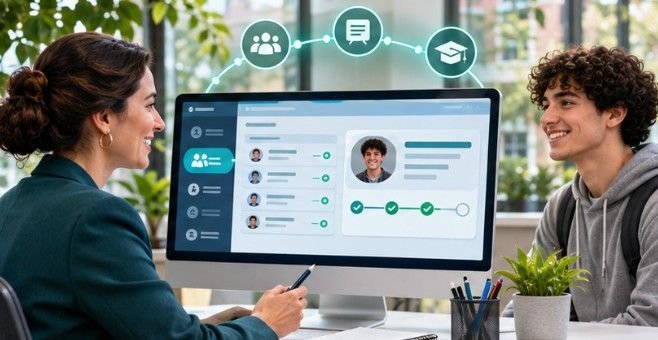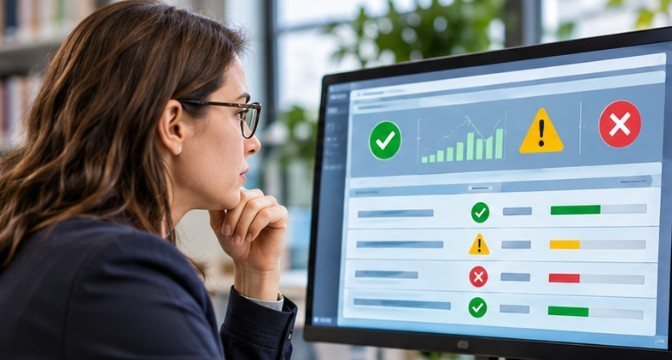
A student can appear correctly enrolled in a school’s database yet remain invisible to the learning platform their teacher uses every day. The synchronization process may even report success while quietly skipping important records.
Understanding how to monitor school data integration failures helps US school districts identify these invisible problems before they affect classroom access, attendance tracking, transportation, or student services.
Effective monitoring requires more than checking whether a scheduled job finished. Schools need automated alerts, record-level validation, system health dashboards, and regular data audits to confirm information reaches the correct destination.
Build a Monitoring System That Detects Problems Early
Establish a Baseline for Every Integration
Before configuring alerts, administrators should document how each connection normally behaves. Record the expected synchronization frequency, average processing time, student counts, and destination systems.
For example, a district transferring approximately 8,000 active enrollment records overnight should investigate an unexpected drop to 7,200.
That represents a 10% decrease, potentially indicating missing records rather than a normal enrollment change. Monitoring should also distinguish expected fluctuations during summer breaks, graduation, and semester transitions.
Configure Automated Failure Alerts
Automated notifications allow IT departments to identify problems without manually opening every administrative dashboard.
Useful alert conditions include:
- Scheduled synchronization jobs that fail or never start.
- Unexpected decreases in enrollment or roster counts.
- Repeated authentication or API connection errors.
- Increasing numbers of rejected records.
- Data transfers exceeding their normal completion window.
Schools can route notifications through email, service desk software, or supported webhook integrations. Assign each alert an owner and an escalation deadline. A notification without accountability can become another overlooked message.
Track Data Quality Alongside System Availability
An operational API does not guarantee accurate student information. Monitor record completeness, duplicate identifiers, invalid school codes, and mismatched course enrollments alongside connection status.
The National Center for Education Statistics emphasizes consistent definitions, validation procedures, and staff accountability in its Forum Guide to Data Quality.
Its recommendations reinforce an important principle: reliable educational information depends on organizational practices, not technology alone.
Use Dashboards and Logs to Find the Actual Failure

Examine Synchronization History
Most established integration platforms provide administrative reports showing execution times, processing status, and data validation results.
Microsoft School Data Sync, for example, provides a Sync Health interface displaying recent execution history and downloadable error reports.
Administrators should inspect:
- The most recent successful run.
- Execution duration and scheduling delays.
- Numbers of processed and rejected records.
- Repeated error categories.
- Changes from previous synchronization results.
A practical approach is to review critical dashboards daily and investigate unusual patterns immediately.
Centralize Logs for Faster Investigation
When several applications exchange information, separate log files make troubleshooting unnecessarily complicated.
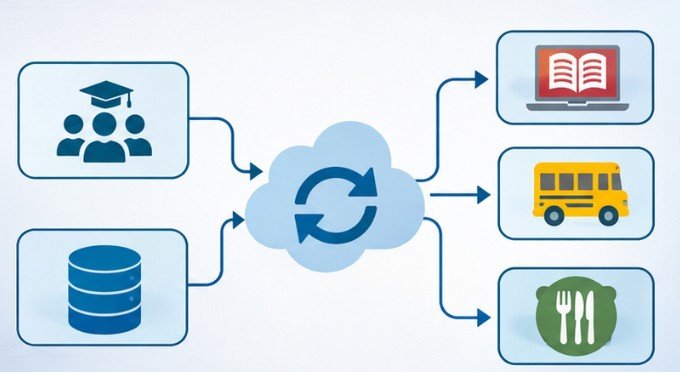
Centralized logging helps administrators connect events across the SIS, integration middleware, and receiving applications.
The National Institute of Standards and Technology’s Guide to Computer Security Log Management explains the importance of collecting, analyzing, and maintaining system event records.
For school integrations, useful log details include timestamps, transaction identifiers, processing outcomes, and error categories. Sensitive student information should be masked or excluded wherever possible.
A Five-Step Method for Troubleshooting Missing Student Records
Learning how to monitor school data integration failures becomes particularly useful when a teacher reports that a student cannot access an assigned course. Rather than restarting the entire connection, investigate the affected record systematically.
Step 1: Confirm the Source Record
Open the authoritative SIS and verify that the student’s enrollment, school assignment, and course information are correct.
Check whether the latest changes were saved before the integration executed.
Step 2: Review Eligibility Rules
Integration filters may exclude inactive enrollments, particular grade levels, or records with unsupported school identifiers. Confirm that the student meets the configured inclusion criteria.
Step 3: Trace the Transfer
Search integration logs using an approved internal record identifier. Determine whether the record was extracted, transformed, transmitted, rejected, or skipped. This identifies the stage requiring correction.
Step 4: Inspect the Destination
Verify whether the LMS or receiving application created the expected student profile. Look for duplicate accounts, incorrect username mappings, or delayed provisioning.
Step 5: Correct and Validate
Fix the underlying data or configuration issue, then run an approved incremental synchronization or controlled retry. Confirm that the student appears in the correct class and can access the required resources.
Avoid repeatedly resubmitting entire datasets without understanding whether the operation could create duplicates or unintended changes.
Monitor Data Consistency Across Different Platforms
Data standards make integration more predictable, but they do not eliminate operational failures. The nonprofit organization 1EdTech maintains the OneRoster interoperability standard, supporting structured exchanges of student, teacher, class, enrollment, and related educational information.
OneRoster accommodates CSV-based transfers and REST API integrations. Schools using these methods should validate identifiers, required fields, enrollment relationships, and receiving-system compatibility.
For example, a successful file upload may still produce incomplete class rosters if the destination interprets section identifiers differently. Regular reconciliation between source and destination records detects discrepancies that ordinary job-status checks miss.
Set Monitoring Priorities According to Student Impact
Not every synchronization issue deserves the same response. A delayed optional reporting field is usually less urgent than an enrollment error preventing a student from accessing instruction.
A practical monitoring schedule can separate operational needs:
| Monitoring Activity | Suggested Frequency |
| Critical integration status | After every scheduled run |
| Failed-record and warning review | Daily |
| Source-to-destination count comparison | Daily or weekly |
| Duplicate student record audit | Quarterly |
| Critical system reconciliation | Before major term transitions |
These are recommended operational intervals, not mandatory federal standards.
Transportation, food service, special education, and physical access integrations may require tighter monitoring because errors can affect essential services or student safety.
Protect Student Privacy While Investigating Failures
Integration monitoring can expose sensitive educational records if diagnostic tools are poorly configured. Under the Family Educational Rights and Privacy Act (FERPA), schools must apply appropriate protections when sharing personally identifiable information from education records.
The US Department of Education’s student privacy guidance explains relevant responsibilities and data-sharing considerations.
Restrict monitoring dashboards to authorized personnel, minimize identifying information in alerts, and secure diagnostic exports.
The Cybersecurity and Infrastructure Security Agency also recommends centralized, protected logging in its guidance on detecting malicious activity.
Schools should distinguish routine integration errors from potential security incidents and escalate suspicious activity through established response procedures.
How to Make Integration Monitoring More Reliable
Effective monitoring improves when schools treat recurring failures as opportunities to strengthen underlying processes. Create standardized data-entry rules, establish documented ownership, and test configuration changes before deployment.
Review recurring errors monthly to identify patterns that automated retries cannot resolve. During enrollment surges or semester changes, temporarily increase monitoring frequency.
Most importantly, test the complete data journey using authorized records rather than relying exclusively on system-generated success messages.
Frequently Asked Questions
1. What causes school data synchronization failures?
Common causes include expired API credentials, incorrect field mappings, duplicate identifiers, missing required information, network interruptions, and incompatible platform configurations.
2. How often should schools check integration logs?
Critical integrations should be checked after each scheduled run. Daily reviews suit most operational systems, while additional checks are advisable during enrollment and semester transitions.
3. Can an integration succeed while student records remain missing?
Yes. A synchronization may finish successfully while filtering records, rejecting invalid entries, or excluding students because of incorrect mapping rules.
4. What tools help monitor school data integrations?
SIS administrative dashboards, Microsoft School Data Sync, middleware monitoring tools, centralized logging platforms, and automated reconciliation reports can help administrators detect and investigate failures.
Final Thoughts
A completed synchronization is not the same as a successful student experience. School districts need visibility into what happened during each transfer, which records reached their destinations, and whether important information remains accurate.
The most dependable strategy combines automated notifications, meaningful thresholds, regular reconciliation, and clearly assigned responsibilities.
Understanding how to monitor school data integration failures ultimately means looking beyond technical performance to the real consequences for students and staff.
Start by identifying your district’s most critical integration, reviewing its last several runs, and comparing source records against destination results. That single exercise may reveal problems a green status indicator has been hiding.