

Three years ago, my accounting team spent nine exhausting days every month exporting CSVs from Stripe, cross-checking bank feeds, and pasting formulas into fragile Excel trackers. Once we decided to automate month-end close with iPaaS, we cut that cycle down to three and a half days without hiring extra headcount. Connecting your ERP, payroll, banking feeds, and expense platforms through an Integration Platform as a Service eliminates manual data entry and turns chaotic close weeks into predictable routines.
Why Manual Month-End Close Workflows Break at Scale
Most mid-sized US finance teams rely on disconnected cloud tools that never speak the same data language. Your CRM records closed deals, Stripe collects payouts minus processing fees, and your ERP expects net revenue mapped to exact general ledger codes.
When humans bridge those gaps with manual CSV uploads, two problems happen immediately. First, a single mismatched column header or timezone offset creates hours of detective work during reconciliation. Second, your leadership team makes decisions using financial statements that are already two weeks stale. According to benchmarks published by AICPA & CIMA, manual data gathering consumes over half of a controller’s close timeline, leaving almost no bandwidth for actual variance analysis.
An iPaaS acts as the central orchestration layer between these systems. As defined in the Gartner iPaaS Market Guide, these platforms connect cloud applications via APIs, transform mismatched schemas on the fly, and enforce governance rules before any record touches your general ledger.
Core Accounting Workflows You Should Automate First
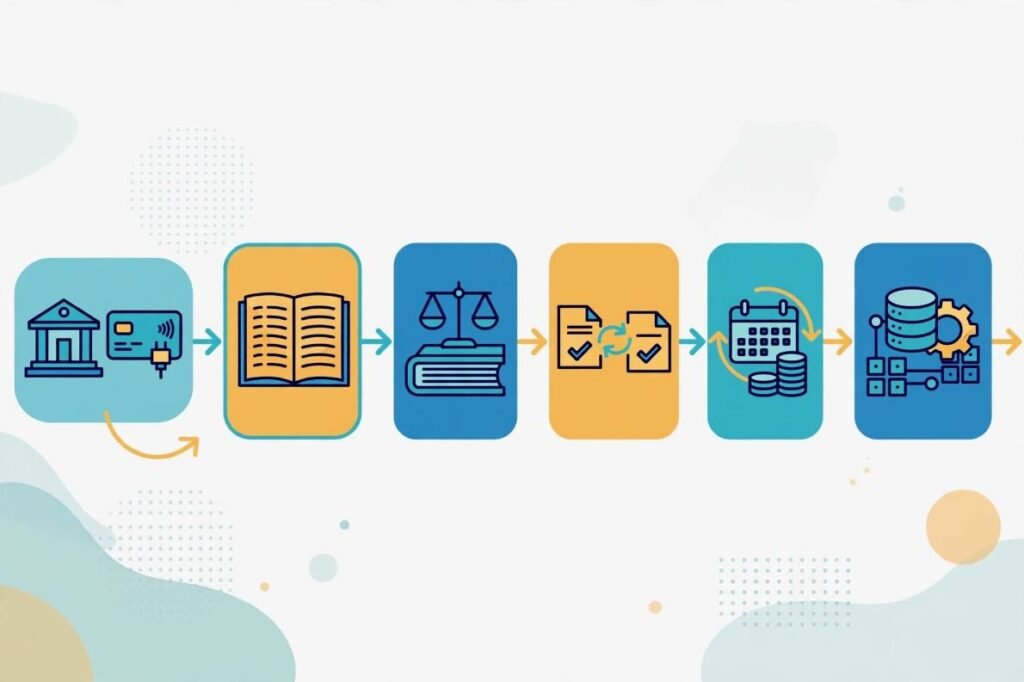
You do not need to automate every journal entry on day one. During my first rollout, focusing on four high-volume pipelines eliminated 80% of our manual spreadsheet work.
Real-Time Bank and Payment Gateway Ingestion
Downloading settlement reports from bank portals and payment processors is pure busywork. I configured scheduled iPaaS triggers to pull daily payout summaries from Stripe and corporate card platforms directly into our ERP clearing accounts.
Instead of lump-sum deposits that require manual fee splitting, the integration parses gross sales, processor fees, and refunds into separate line items automatically. By the time Day 1 of the close arrives, cash accounts already match daily bank activity.
Sub-Ledger to General Ledger Syncing
Approved accounts payable bills, customer invoices, and payroll runs should never wait until month-end to enter your core accounting software. Our pipeline listens for approval events in our AP and payroll platforms, then pushes coded journal entries straight into the general ledger.
This approach keeps your financial data reconciliation workflows running continuously in the background. Every department expense hits the right cost center the moment a manager clicks approve.
Automated Transaction Matching and Exception Flagging
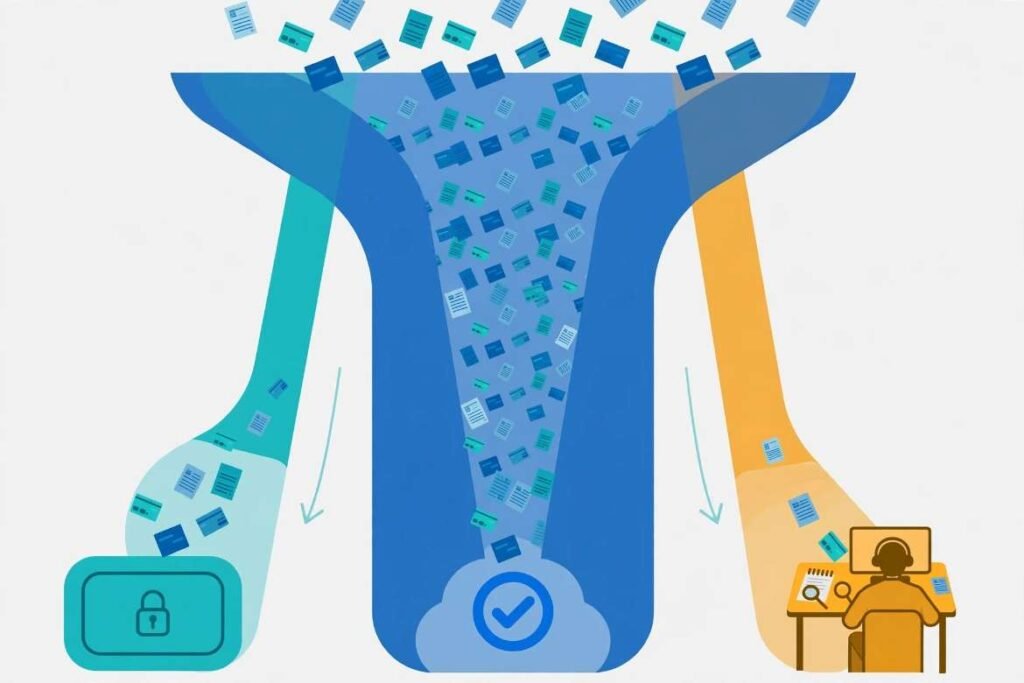
In my experience, the biggest time-saver is building a “Three-Tier Exception Routing” rule inside your iPaaS. Rather than reviewing ten thousand identical transactions, your team only touches anomalies:
- Exact Matches: When a bank deposit matches an open invoice ID and net amount within $0.01, the workflow clears the entry silently.
- Fee Variances: When foreign exchange or gateway fees cause a minor discrepancy under $25, the recipe books the difference to a designated variance account automatically.
- Hard Exceptions: When an unidentifiable wire arrives or a duplicate bill triggers, the platform posts an interactive alert in Slack for controller review.
Recurring Accruals and Approval Orchestration
Routine entries like prepaid software amortization, fixed asset depreciation, and unbilled payroll accruals follow predictable math. We built scheduled workflows that calculate these figures on the last business day of the month and stage them as draft journals in our ERP.
Simultaneously, the iPaaS generates tasks inside our interactive month-end close checklist across pre-close, core close, and post-close phases. As soon as an accountant marks bank reconciliations complete, the system pings the controller to review staged accrual batches.
My 4-Step Implementation Framework for Finance Teams

Jumping straight into building recipes without cleaning up your underlying accounting rules will only automate bad data. Follow this four-step rollout sequence to avoid broken syncs.
Step 1: Audit Manual Handoffs and Cutoff Bottlenecks
Sit down with your accounting team and map every CSV export, email approval, and VLOOKUP sheet used during last month’s close. Rank each task by transaction volume and rule complexity. Start with repetitive, high-volume pipelines like credit card expense feeds before tackling complex multi-entity eliminations.
Step 2: Standardize Chart of Accounts Schemas
Your source apps and ERP must share consistent naming conventions for account codes, department tags, and tax categories. Inside your iPaaS transformation layer, build lookup tables that translate external labels into valid ERP internal IDs. When a marketing SaaS tool labels a charge “Digital Ads,” your mapping table converts it cleanly to GL Account 6140 – Paid Acquisition before posting.
Step 3: Build Retry Logic and Audit-Ready Logs
APIs fail occasionally due to rate limits or maintenance windows. Always configure exponential backoff retry loops and dead-letter error queues so temporary outages never drop financial transactions.
Equally important, configure your platform to log every payload transformation, timestamp, and user approval ID. Maintaining immutable digital trails keeps your records compliant with IRS recordkeeping guidelines and makes external audits painless.
Step 4: Transition From Batch Syncs to a Continuous Close
Once your pipelines run reliably at month-end, switch high-volume workflows to daily or event-driven schedules. Following technical patterns outlined in the Workato Finance Automation Documentation, shifting cash application and expense syncing to real-time triggers spreads close work evenly across all four weeks of the month.
Choosing the Right iPaaS Platform for Your Finance Stack
Selecting an integration tool depends heavily on your ERP complexity, transaction volume, and internal engineering support.
| Platform | Best Suited For | Standout Finance Capability |
| Workato | Mid-market to enterprise teams | Pre-built ERP connectors, granular role permissions, and interactive Slack/Teams approval bots |
| Celigo | NetSuite-centric organizations | Purpose-built payout reconciliation templates and intuitive error-management dashboards |
| Boomi | Multi-entity global enterprises | High-throughput batch processing and master data governance across legacy ERPs |
| Make / Zapier | Startups & lean finance teams | Low entry cost, visual builders, and rapid setup for Xero, QuickBooks, and Google Sheets |
If your team lacks dedicated integration engineers, prioritize platforms with pre-built accounting connectors and human-readable error logs over raw developer flexibility.
Frequently Asked Questions About Month-End Close Automation
1. How long does it take to automate month-end close with iPaaS?
Most mid-sized finance teams deploy their first bank and payment reconciliation workflows within two to four weeks.
2, Which accounting tasks should never be fully automated?
Complex judgment calls—such as goodwill impairment, custom revenue recognition contracts, and final financial statement sign-offs—should always require human controller approval.
3. Do I need software engineers to maintain iPaaS finance workflows?
No, modern low-code iPaaS platforms allow finance operations analysts to manage field mappings and exception queues after initial setup.
4. How does iPaaS improve audit readiness during month-end close?
Every automated sync logs source timestamps, transformation rules, and approver identities automatically, creating a tamper-proof audit trail for external reviewers.
Stop Chasing Spreadsheets and Lock Your Books Faster
Your accounting team was hired to analyze margins and guide cash strategy, not babysit CSV downloads at midnight on Day 7. When you automate month-end close with iPaaS, you replace fragile manual handoffs with self-healing data pipelines that work while your team sleeps.
Pick your single messiest reconciliation bottleneck this week—whether that is payment gateway payouts or corporate card expenses—and map its source-to-ERP field schema before your next close cycle begins.



2 thoughts on “Automate Month-End Close With iPaaS: My 4-Day Close Blueprint”