A law firm’s most serious cybersecurity weakness may not be its primary software. It could be a seemingly harmless connection between two trusted applications.
A billing platform, document management system, or AI assistant can unintentionally expose confidential records when granted excessive access. Understanding how to secure law firm software integrations means examining what happens to client information after it leaves its original platform.
For American law firms, the challenge extends beyond preventing cyberattacks. Secure integrations must preserve attorney-client confidentiality, maintain accurate records, and support professional obligations without slowing everyday legal work.
Build Security Around Access, Not Just Passwords
Strong passwords matter, but they cannot compensate for poorly designed permissions.
An application with unnecessary access can expose information even when every employee follows proper authentication procedures.
Apply Least-Privilege Permissions
The principle of least privilege allows users and applications to access only the resources necessary for their assigned responsibilities.
For example, a scheduling integration might require appointment dates and client contact information. It should not automatically receive access to litigation strategies, financial records, or confidential correspondence.
Law firms should establish:
- Separate permissions for each connected application.
- Read-only access wherever editing is unnecessary.
- Matter-specific restrictions for sensitive cases.
- Regular reviews of administrator privileges.
- Immediate removal of unused application credentials.
Permission reviews become particularly important when employees change responsibilities or leave the organization.
These permission controls should also be considered when automating law firm client onboarding, ensuring that new client records, matter details, and confidential documents are collected and shared only with authorized applications and personnel.
Preserve Ethical Walls Across Applications
Some firms maintain ethical walls to restrict information sharing between attorneys, departments, or conflicting engagements.
These restrictions should remain effective after data enters connected systems.
A document search assistant, for instance, should not retrieve files from matters that its requesting user cannot access.
Where available, centralized identity and policy platforms, including systems such as Intapp Walls, can help coordinate access restrictions.
However, firms must verify that connected applications actually enforce those restrictions rather than assuming that synchronization guarantees confidentiality.
Protect Information Throughout Its Journey

Client data requires protection while stored, transmitted, and processed.
Verify Encryption and Authentication
Look for AES-256 or comparable strong encryption for stored information and modern TLS configurations for API communications.
Encryption settings should be verified through technical documentation and independent testing rather than marketing claims alone.
The Cybersecurity and Infrastructure Security Agency provides Secure Cloud Business Applications guidance addressing cloud configuration and identity security.
Firms should also implement multifactor authentication, preferably phishing-resistant methods, for privileged accounts and supported applications.
For automated connections, use properly scoped OAuth tokens, short-lived credentials where supported, secure secret storage, and planned credential rotation.
Secure Individual Records Inside APIs
An authenticated application should not automatically access every record in a connected system.
The OWASP API Security Project identifies broken object-level authorization among its major API security risks. This weakness occurs when software fails to verify whether a requester may access a particular record.
Imagine an integration requesting case number 204 instead of case number 203. The system must verify permission for case 204 independently, even if the requesting application has already authenticated successfully. This distinction is essential for protecting confidential legal matters.
When connecting legal practice management and financial platforms, firms should also understand how to connect law firm accounting to Power BI, ensuring that financial data transfers respect user permissions and maintain appropriate confidentiality controls.
Evaluate Vendors Before Connecting Their Software
Security reviews should happen before a vendor receives access to production information.
A polished interface or recognizable brand does not establish that an application meets a firm’s confidentiality requirements.
Examine Independent Security Evidence
Request current SOC 2 Type II reports, ISO/IEC 27001 certification details, or other relevant independent assurance documentation.
Examine the scope carefully. A certification covering one service does not necessarily cover every connected product.
Ask vendors about encryption, subprocessors, breach notification timelines, data retention, and deletion procedures.
Firms should also determine whether vendors use client information for AI model training or other secondary purposes.
Understand Regulatory Exceptions
Not every law firm is directly regulated by HIPAA simply because its matters contain medical information.
However, a firm providing qualifying services to a covered healthcare organization may act as a business associate.
The U.S. Department of Health and Human Services explains that applicable business associate agreements must establish permitted uses, safeguards, and subcontractor responsibilities.
Other obligations may arise from state privacy laws, contractual commitments, court orders, or particular practice areas.
Compliance assessments should therefore reflect the information being processed and the firm’s actual legal responsibilities.
Test Every Integration Before Deployment

A successful connection test only proves that applications communicate. It does not establish that they communicate securely.
Testing should examine confidentiality, accuracy, and failure handling.
A Practical Six-Step Security Test
Use the following process before activating a new integration.
Pre-launch integration checklist
Interactive
0 of 6 completed
Reset
Map every category of information exchanged
Verify user, application, and matter-level permissions
Test unauthorized access using restricted accounts
Check encryption, authentication, and token expiration
Confirm audit logs capture meaningful access events
Validate recovery, revocation, and data deletion procedures
Copy checklist
Perform testing in a separate staging environment using synthetic or properly de-identified information whenever possible.
Migration tests should also confirm that documents, metadata, access restrictions, and audit histories remain accurate.
A particularly useful negative test attempts to retrieve a restricted matter through an otherwise authorized integration. Successful denial provides stronger evidence than ordinary functionality testing.
Monitor Connections After They Go Live
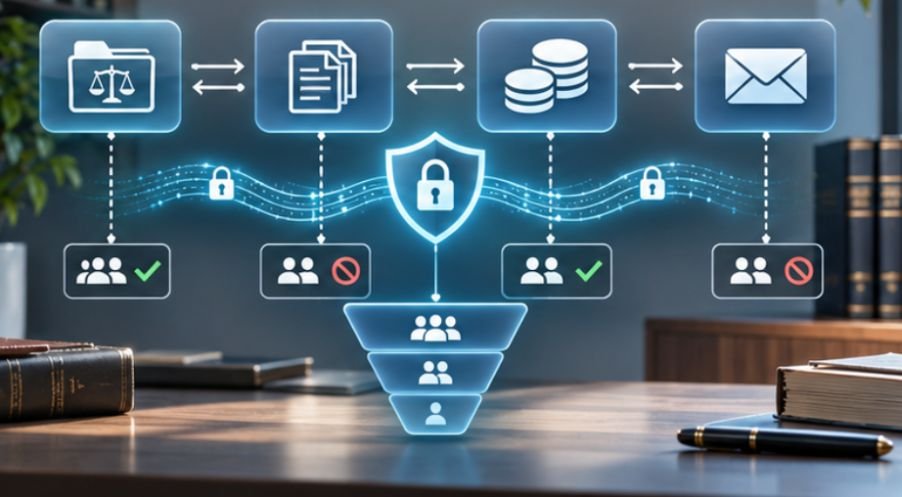
Integration security requires continuing oversight. Employees may approve new SaaS connections without realizing that OAuth permissions allow substantial access to existing accounts.These unofficial connections, sometimes called shadow IT, can bypass normal vendor reviews.
The NIST Cybersecurity Framework 2.0 organizes risk management into six functions: Govern, Identify, Protect, Detect, Respond, and Recover.
Firms can apply these functions by maintaining an integration inventory, reviewing permissions, monitoring unusual transfers, and preparing incident response procedures.
Security logs should identify which application accessed information, when access occurred, and whether the activity succeeded.
For event-driven integrations, firms should also understand how to use webhooks in legal software to transmit updates between applications securely, validate incoming events, and maintain visibility into automated data exchanges.
Alerts can flag unusual export volumes, unexpected access to restricted matters, or application activity outside established patterns.
When suspicious behavior appears, administrators should be able to revoke credentials promptly without disrupting unrelated legal services.
Frequently Asked Questions
1. What is the safest way to connect legal software?
Use verified APIs, narrowly scoped permissions, strong encryption, secure authentication, and continuous monitoring. Test access restrictions before allowing applications to process confidential client information.
2. How often should firms audit software integrations?
Review high-risk connections continuously where practical and conduct scheduled access reviews at least quarterly. Reassess integrations whenever vendors, permissions, or workflows change.
3. Can law firms safely integrate AI tools?
Yes, provided the tools enforce confidentiality restrictions, limit data access, disclose processing practices, and satisfy applicable ethical and contractual requirements.
4. Do small law firms need integration security?
Absolutely. Smaller practices handle confidential information and face many of the same technology risks. A documented inventory, restricted permissions, and secure authentication provide a practical starting point.
Make Every Connection Earn Its Access
The greatest danger in legal software integration is often invisible: an application quietly receiving more information than it needs.
Effective security begins by questioning each connection’s purpose, permissions, and handling of client records. Firms that document data flows, investigate vendor practices, and test access controls can benefit from automation without sacrificing confidentiality.
The goal is not to eliminate connected technology. It is to ensure that convenience never overrides professional responsibility.
Before approving another integration, ask one essential question: If this application were compromised tomorrow, exactly which client records could it expose? The answer should determine whether the connection is ready.