

When I architected my first notification engine for a 40-location dental group, a single time-zone bug fired 2,400 SMS reminders at 4:30 AM PST. Building automated patient appointment reminder workflows for multi-clinic SaaS requires far more than a basic cron job and a messaging API. You have to orchestrate multi-tenant inheritance, real-time two-way scheduling sync, and strict carrier compliance across dozens of independent clinic locations.
Why Single-Clinic Reminder Logic Breaks at Multi-Location Scale
Single-tenant scheduling tools store global settings in one flat configuration table. That approach collapses the moment a regional healthcare network onboards 15 clinics across three time zones with distinct specialty rules.
According to MGMA benchmarking data, medical practices still struggle with stubborn no-show rates even after adopting basic digital alerts. In my experience auditing multi-site platforms, no-shows persist because rigid systems send generic blasts at the wrong times. A dermatology clinic needs different prep instructions than an outpatient imaging center, yet single-clinic architectures force every location into one rigid template.
When designing your data pipeline—especially if you are weighing no-code vs custom API integration—you must separate platform-wide delivery infrastructure from clinic-level clinical rules.
Designing the 3-1-0 Cadence and Dynamic Trigger Engine
A multi-clinic platform needs a rule engine that lets individual office managers customize timing while defaulting to proven no-show reduction patterns. Across the deployments I have led, the 3-1-0 cadence consistently outperforms single-touch alerts without triggering notification fatigue.
Instant Confirmations and Conditional Prep Blocks
The workflow starts the second an appointment record lands in your database. Your system should dispatch an instant booking confirmation via SMS, WhatsApp, or email containing calendar links, clinic directions, and telehealth URLs.
From there, the 3-1-0 engine schedules automated touchpoints at three days out, one day out, and two to three hours before the visit. Rather than hardcoding static text, attach conditional content blocks mapped to procedure codes or visit types. If a patient books fasting blood work, the engine injects fasting rules automatically. If a new patient books an initial consult, the template adds a 15-minute early arrival buffer for intake paperwork.
Local Time-Zone Quiet Hours Enforcement
Never evaluate send times against your server’s UTC clock. Your queuing worker must resolve the destination clinic’s local IANA time zone before releasing any payload. Enforce strict quiet hours—typically 8:00 AM to 6:00 PM local time—so overnight EHR batch syncs hold outbound messages in a delayed queue until morning.
Building Two-Way Interactive Workflows and EHR Write-Backs

One-way alerts only inform patients, whereas two-way automation actively clears clinic schedules and cuts front-desk phone volume. Patients expect to reply directly to a text rather than calling a busy reception desk.
Webhook Status Sync and Escalation Paths
Configure your inbound messaging parser to recognize simple keywords like C to confirm or R to reschedule, alongside interactive quick-reply buttons on rich channels. When a patient replies, your service should immediately translate that intent into an HL7 FHIR Appointment resource update—writing booked (Confirmed) or cancelled directly back to the EHR via webhooks.
If you connect Epic EHR with Salesforce Health Cloud, bi-directional event listeners keep both clinical schedulers and patient engagement dashboards synchronized in sub-second intervals.
When a patient ignores a 48-hour SMS reminder, your workflow should trigger an automated escalation path. Dispatch a secondary email or an automated press-1 voice call at the 24-hour mark. Any appointment remaining unconfirmed four hours before start time gets flagged on the front-desk dashboard for manual staff outreach.
Automated Waitlist Backfill on Cancellation
Empty exam rooms represent permanent revenue loss. In one multi-specialty rollout I advised, connecting SMS cancellations to an automated waitlist cut unfilled same-day slots by 38%.
When a patient texts R or cancels inside your cancellation window, the workflow queries waitlisted patients matching that exact provider, location, and visit duration. It blasts an instant claim link to the top five matches, locking the slot for the first patient who accepts and updating the EHR schedule automatically.
Multi-Clinic SaaS Architecture and Tenant Inheritance
Cleanly serving enterprise clinic groups requires a hierarchical configuration model. Inherited defaults keep onboarding fast, while granular overrides prevent location-level bottlenecks.
| Configuration Tier | Scope of Control | Typical Settings & Overrides |
| Organization (Parent) | Enterprise healthcare group | Billing plans, global HIPAA retention policies, master BAA compliance, default 3-1-0 cadence |
| Clinic Location (Child) | Individual physical or virtual site | Local street address, IANA time zone, dedicated sender phone number, brand logo, local quiet hours |
| Provider / Visit Type | Clinician or specific CPT/procedure | Custom fasting/prep blocks, telehealth join links, cadence step toggles (e.g., disable 3-day alert for acute visits) |
Dedicated Sender Identities and Smart Channel Routing
Shared short codes confuse patients who visit multiple providers. Provision unique local 10DLC phone numbers, WhatsApp Business API sender IDs, or verified sending subdomains per clinic location so patients immediately recognize who is texting them.
Pair dedicated identities with smart channel routing. Your delivery router should inspect patient communication preferences, regional channel dominance, and historical delivery receipts before dispatching. Additionally, layer in behavioral personalization: route reliable patients through a lightweight single-touch reminder, while assigning patients with two or more prior no-shows to an intensive multi-step confirmation sequence.
HIPAA, TCPA, and Carrier Compliance Guardrails
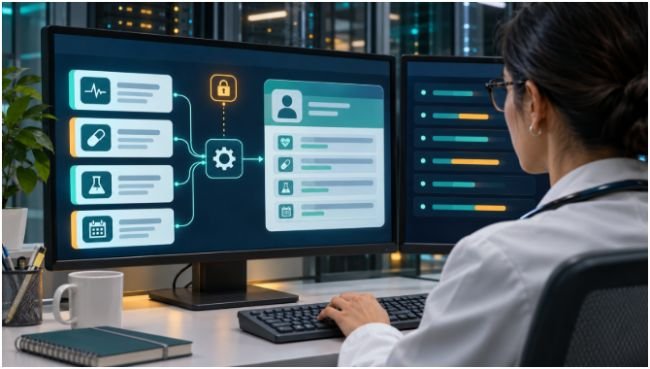
Healthcare messaging sits at the intersection of federal privacy mandates and telecom carrier enforcement. A single misconfigured template can expose protected health information across an entire tenant group.
Follow the HHS HIPAA Minimum Necessary standard by stripping sensitive diagnoses, procedure names, and clinical notes out of standard SMS bodies. Standard carrier SMS lacks end-to-end encryption. Keep text payloads restricted to the clinic name, date, time, and confirmation prompts, and link out to an authenticated patient portal for sensitive prep instructions.
Under the FCC TCPA healthcare exemption rules, treatment-related appointment reminders require prior express consent—which patients typically grant by providing their mobile number at intake—and must include clear opt-out instructions.
In a multi-clinic SaaS, you must scope opt-out tracking strictly to the tenant level. Store consent flags against a composite key of (patient_phone, clinic_location_id). If a patient replies STOP to their dental clinic, your gateway halts messages from that clinic immediately without blocking unrelated reminders from their primary care group. Finally, write immutable audit logs capturing message templates, timestamps, carrier delivery receipts, and inbound replies for every notification to satisfy HIPAA security audits.
Stop Treating Clinic Reminders Like Simple Cron Jobs
Reliable patient engagement happens when your architecture respects clinical nuance as much as API throughput. Before shipping your next release, audit your current notification tables: if time zones, sender IDs, and STOP flags live at the global database level instead of the clinic-location tier, refactor your tenant hierarchy first.
Frequently Asked Questions
1. Are SMS patient appointment reminders HIPAA compliant?
Yes, provided you limit text content to the minimum necessary details (date, time, clinic name) without diagnoses and maintain a signed Business Associate Agreement (BAA) with your messaging vendor.
2. What is the best cadence for automated medical appointment reminders?
The 3-1-0 cadence—sending alerts 3 days before, 1 day before, and 2–3 hours prior to the visit—delivers the highest confirmation rates without overwhelming patients.
3. How should multi-clinic SaaS platforms handle STOP opt-out keywords?
Platforms must isolate STOP and START consent logs by clinic tenant ID so opting out of one location does not block critical reminders from another clinic on the same SaaS.
4. Do healthcare appointment reminders require written consent under the TCPA?
No, informational healthcare reminders qualify for the FCC’s healthcare exemption using prior express consent obtained when a patient shares their phone number during registration.



One thought on “Automated Patient Appointment Reminder Workflows for Multi-Clinic SaaS”