
Every time a front-desk coordinator copies a patient’s date of birth from a CRM lead card into an Electronic Health Record, your clinic loses money and risks a claim denial. Learning how to automate patient intake workflows between EHR and CRM eliminates that double-entry bottleneck while keeping clinical charts and marketing pipelines perfectly aligned.
Over the past several years of architecting healthcare data pipelines for multi-location outpatient clinics, I have seen firsthand how a properly configured bidirectional sync cuts check-in times from twelve minutes to under ninety seconds.
Below is the exact blueprint I use to connect capture forms, integration middleware, and clinical systems without triggering compliance headaches or duplicate patient records.
Why Manual EHR and CRM Data Entry Quietly Drains Clinic Revenue

When your marketing team captures leads in a CRM like Salesforce Health Cloud or LeadSquared, that data usually lives behind an operational wall separate from clinical platforms like Epic or athenahealth. Staff end up acting as human middleware, manually retyping insurance policy numbers, emergency contacts, and consent statuses before a provider ever sees the patient.
A single transposed digit in a subscriber ID stalls reimbursement for weeks. Even worse, when a patient updates their phone number at the front desk, the CRM never gets the memo, causing automated appointment reminders to bounce. Automating the handshake between both platforms solves both problems simultaneously by treating patient acquisition and clinical care as one continuous data lifecycle.
The Three-Layer Architecture Stack for Healthcare Data Integration
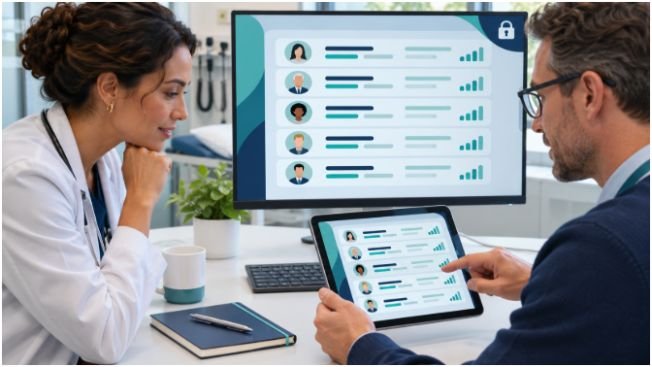
A resilient intake pipeline never relies on brittle point-to-point plugins. Instead, I build every integration around three decoupled layers so that upgrading one tool never breaks your entire front office.
Layer 1: HIPAA-Compliant Digital Capture Forms
Your intake workflow starts the moment a prospective patient clicks “Book Now” or opens a pre-visit link on their phone. Standard web forms will not cut it here because protected health information (PHI) touches the payload immediately. I rely on enterprise capture tools like Jotform Enterprise or Typeform for Healthcare to gather demographics, digital consent signatures, and front-and-back photos of insurance cards before the patient steps foot in the lobby.
Layer 2: Healthcare Integration Middleware and Orchestration
Middleware acts as the traffic controller sitting between your forms, CRM, and EHR. Rather than writing custom point-to-point scripts that break whenever a vendor updates an API, I deploy dedicated healthcare integration engines like Mirth Connect, Redox, or Activepieces. The middleware listens for webhook events, validates formatting, translates payloads into healthcare-standard structures, and routes each piece of data to its proper destination.
Layer 3: Defining System-of-Record Boundaries
One of the biggest mistakes I see clinics make is letting both systems compete to own every piece of data. You must enforce strict system-of-record boundaries from day one:
- The CRM owns pre-visit engagement: Lead sources, referral tracking, marketing attribution, appointment reminders, and post-discharge satisfaction campaigns stay inside the CRM.
- The EHR owns clinical and billing truth: Master patient indexes, medical histories, clinical encounter notes, ICD-10 codes, and primary insurance records live exclusively inside the EHR.
Building Bidirectional Patient Onboarding and Clinical Sync Workflows

True automation requires two-way communication. Pushing data in only one direction leaves your clinical staff or your patient outreach team flying blind.
CRM-to-EHR Triggers for New Patient Registration
When a prospective patient submits an intake form or books an appointment through your CRM, the middleware immediately queries the EHR to check for an existing chart using a deterministic match on last name, date of birth, and email or phone number. If no chart exists, the pipeline automatically generates a new patient record in the EHR and pre-populates all demographic fields. Front-desk staff open their morning schedule to find complete charts waiting for them.
EHR-to-CRM Triggers for Post-Visit Care and Retention
Once the clinical encounter begins, the EHR takes the wheel and pushes status updates back to the CRM. When a provider marks a visit complete, logs a no-show, or finalizes a discharge summary, the EHR emits an event trigger. My middleware catches that signal and instructs the CRM to pause pre-visit reminders, launch a 48-hour post-visit care check-in, or enroll the patient into a chronic care recall sequence six months out.
Automating Real-Time Insurance Eligibility Verification
Waiting until the patient arrives at the reception desk to discover an expired insurance plan is a preventable disaster. I configure the orchestration layer to trigger an automated X12 270/271 eligibility check—following the CAQH CORE Operating Rules for Eligibility and Benefits—as soon as intake data hits the EHR. If coverage comes back inactive or a consent signature is missing, the system flags the appointment in red and texts the patient a secure link to update their card before they leave home.
Mapping Data Schemas with HL7 FHIR Interoperability Standards
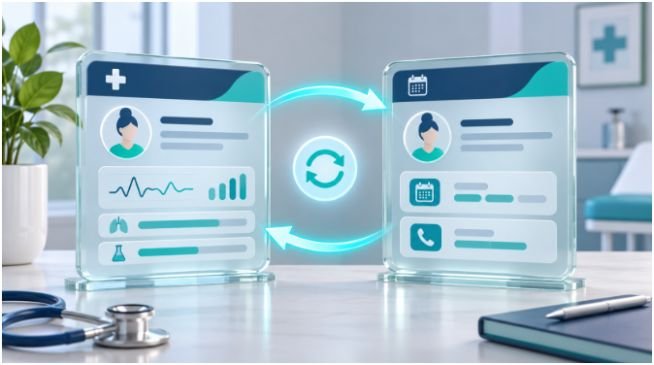
Data mismatches between modern JSON-based CRMs and legacy clinical databases cause most integration failures. A CRM might store a patient’s full name in a single text string, whereas your EHR requires separate fields for family name, given name, and middle initial.
To bridge that gap cleanly, I map every incoming form and CRM field directly to modern HL7 FHIR interoperability standards—or HL7 v2 ADT messages when working with older on-premise EHRs. Specifically, your middleware should structure demographic payloads according to the official HL7 FHIR Patient Resource specification so that identifiers, telecom arrays, and emergency contact relationships parse without errors.
You also need explicit conflict resolution rules before turning on live sync. In my deployments, I apply a simple governance matrix so the middleware knows which system wins when records collide:
| Data Category | Master Source of Truth | Sync Direction | Conflict Resolution Rule |
| Legal Name & DOB | EHR | EHR → CRM | EHR overwrites CRM once identity is verified at check-in |
| Phone & Email | Most Recent Timestamp | Bidirectional | Latest verified user update wins across both platforms |
| Lead Source & Referral ID | CRM | CRM → EHR | Locked in CRM; passed once to EHR as read-only metadata |
| Insurance Subscriber ID | EHR | EHR → CRM | EHR billing module overrides any preliminary form entry |
| Appointment Status | EHR | EHR → CRM | EHR schedule status immediately updates CRM campaign state |
Enforcing HIPAA Security and Running a 5-Patient Shadow Test
Connecting external marketing software to clinical databases expands your attack surface, making rigorous security controls non-negotiable. Before transmitting a single byte of real patient data, verify that you have executed a signed HIPAA Business Associate Agreement (BAA) with your form provider, middleware vendor, and CRM platform. Every API call must run over TLS 1.2 or higher, store payloads using AES-256 encryption at rest, and write immutable audit logs tracking which service account read or modified each record.
Once security checks pass, never flip the switch for your entire clinic at once. I always run what I call a 5-patient shadow test:
- Create five synthetic test patients representing distinct edge cases: a brand-new cash-pay patient, an insured patient with a secondary policy, a returning patient with a changed phone number, a minor with a guardian contact, and a duplicate-name collision.
- Push all five records through your live capture forms and middleware into a staging or draft state inside the EHR.
- Have a front-desk lead and a billing specialist inspect every mapped field side by side against the original form submission.
In almost every deployment I have led, that 5-patient shadow test catches at least one subtle schema quirk—like a truncated apartment number or an unmapped policy group code—before it affects real patients.
Frequently Asked Questions About EHR and CRM Automation
1. What is the best middleware to connect a CRM and an EHR?
Mirth Connect, Redox, and HIPAA-compliant workflow tools like Activepieces work best because they natively support HL7 FHIR/v2 transformations and sign BAAs.
2. Do I need a Business Associate Agreement for my CRM if it only holds intake leads?
Yes, because names, contact details, and appointment requests linked to a healthcare provider constitute protected health information under HIPAA rules.
3. How does HL7 FHIR improve EHR and CRM integration?
HL7 FHIR standardizes patient demographics and appointment objects into modern RESTful JSON APIs, eliminating fragile custom database connectors.
4. How do I prevent duplicate patient records when syncing CRM leads to an EHR?
Configure your middleware to query the EHR using a multi-point match on last name, date of birth, and phone or email before creating any new chart.
Stop Playing Human Middleware and Let Your Systems Talk
Your front-office staff was hired to welcome patients, not to copy-paste insurance IDs between browser tabs all afternoon. By separating your capture, orchestration, and system-of-record layers—and validating your mappings with a disciplined 5-patient shadow test—you build an intake engine that scales effortlessly as patient volume grows. Audit your current check-in form today, highlight every field your staff currently retypes by hand, and map those exact fields to your EHR’s FHIR endpoints first.